Showing posts with label BB tips. Show all posts

QUICK TIP TO REBOOT A BLACKBERRY PHONE WITHOUT REMOVING THE BATTERY

0

QUICK TIP TO REBOOT A BLACKBERRY PHONE WITHOUT REMOVING THE BATTERY

As nice as the Blackberry is, Sometimes having to reboot your BlackBerry just because you installed an application can be very annoying, but, having to pull the battery out of your device to do so, makes the process irritating expecially when you're in the Middle of Something.

With today’s Quick Tip we wanted to remind BlackBerry users that if you simply need to reboot your device pulling the battery is overkill. You can perform a “soft reset”, or, reboot your BlackBerry by pressing the Alt, right Shift, and Delete buttons simultaneously. So long as your device isn’t locked up this keyboard shortcut for rebooting your BlackBerry is lot less hassle than physically pulling the battery… 

This also works when your Subscribe to BIS Subscription & you're asked to remove your Battery after some Minutes to make your Subscription Active, Just do the Soft Reset as describe above and Start Pinging on your Blackberry Device.

Some annoying Features, RIM still overlook are seriously killing Most Blackberry Users, No time to Mention here today but will surely list them out when have got the time. Enjoy!!

TOP BLACKBERRY SECRET CODES.

0

TOP BLACKBERRY SECRET CODES.

As we ought to know,every device has its own hidden features which can only be unlocked with the help of secret codes.
Amongst others,we have treated some of them in the past.
They include.

blackberry logo.jpg
In today's tutorial, we'll be listing some of the Major and most-popular of this widely-used mobile phone.
Here they are...
  1. The first is the code which works on virtually all mobile devices to check their IMEI number i.e *#06#
  2. Hold “Alt” down & press “RBVS” in the Address Book »To view the source code of webpages.
  3. Hold “Alt” & press “NMLL” »
    This is called the Decibel meter.
    It shows the phone's signal-strength in decibels instead of bars
  4. Address Book data structure rebuild.
    |This forces a data structure re-build in the Address Book.|
    Hold “Alt” & press “RBLD” in the Address Book to do this.
  5. Address Book file verification
    This checks the data in your Address Book for inconsistencies.
    Hold “Alt” & press “VALD” in the Address Book.
  6. To do a “Soft” Reset,which is thesame as Removing the battery for a few seconds.
    Press & hold “Alt”, then hold left-“shift”, then hold “Del”.
  7. To view the "Help Me! menu" for crucial technical information about the device,
    Hold “Alt” & (left) “shift”,then press “H”
  8. To view the Event-Logs,
    Hold “Alt” & press “LGLG”
  9. blackberry.com
    Note 
    The codes below will work mostly when you are viewing the home-screen.
  10. A or C »Phonebook
  11. S » Search.F » Phone's profiles.
  12. W or B » Browser. H » help.
  13. K » Locks the keys.
  14. L » Calendar.
  15. V » Messages.
  16. M » Messages folder. R » alarm.
  17. T »Tasks.
  18. U » Calculator.
  19. I » Applications.
  20. O » Options.
  21. P » Phone.
  22. T » Top of page (in browser).
  23. »B » Bottom of page (in browser).
  24. Space » Page down (in browser).
  25. D » Memo pad.
  26. U » Switch between hide/unhide in browsers title-bar.
  27. ALT + NMLL » To use numbers instead of bars for signal strength.
  28. ALT + Right Shift + Del » Hard reset.

BASIC BLACKBERRY SHORTCUTS.

0

BASIC BLACKBERRY SHORTCUTS.

These are the basic Blackberry shortcuts which might be useful for you.
I'll be starting with searching of keywords.
  • To Search for text in a message->Press S
  • To search for a text in an attachment or on a web page->Press F
  • To move the screen a step backward->Press the Escape key
  • Return to your Home screen or application list->Press the End key
  • To Switch applications->Hold down the BB data flow icon.
  • To check your voice mail->Hold 1
  • To view your contact list in phone application->Press the Send key
  • To turn on the speaker phone during a call->Press the Speakerphone key.
  • To turn off the speakerphone during a call->Press the Speakerphone key again.
  • To type a letter in a phone number field->Press the Alt key and the letter key

SHORTCUTS ON MESSAGES

  • To move to the next date->Press N.
  • To move to the previous date->Press P.
  • To jump to the top of a message list->Press T.
  • To jump to the bottom of a message list-Press B.
  • To jump to the next related message->Press J.
  • To jump back to the previous related message->Press K.
  • Move to the next unread message->Press U.
  • To move the screen up->Press Shift+Space key.
  • To move down a screen->Press Space key.

OTHER SHORTCUTS

  • To type a number in a text field->Hold Alt key + number key.
  • To turn off CAP lock->Press the Shift key.
  • To Turn off NUM lock->Press the Shift key.
  • To turn on CAP lock->Press the Alt key + Right Shift key.
  • To turn on NUM lock->Press Alt key + Left Shift key

INSERTING SYMBOLS

  • To insert an at sign (@) or a period (.) in an email address field->Press the Space key
  • To type a symbol->Press the Symbol key + the letter
    showing below the symbol.

SHORTCUTS ON A WEBPAGE

    To switch between Column view and Page view->Press Z.
  • Zoom out from a web page->Press O.
  • Zoom in to a web page->Press I.
  • To move to a specific web page->Press G.
  • To turn on support for JavaScript->Press J.
  • To add a bookmark->Press A
  • To return back to home page->Press H.
  • To refresh a web page->Press R.
  • To view a list of web pages you recently visited->Press Y.
  • To Follow,highlight or pause on a link->Press the Enter key.pause on the link
    Press the Enter key.
  • To open bookmark list->Press k.

BASIC BLACKBERRY SHORTCUTS (CONT'D).

0

BASIC BLACKBERRY SHORTCUTS (CONT'D).


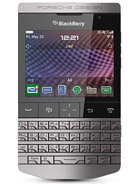
Blackberry porsche
This is the continuation of the Previous post.

SHORTCUTS ON CALENDER

N:B:-For shortcuts to work in Day view,change the Enable Quick Entry field to "No" in the general calender option.
  • To schedule an appointment->Press C.
  • To change calender to Month view->Press M.
  • To change it to Week view->Press W.
  • Change to Day view->Press D.
  • Change calender to Agenda view->Press A.
  • To move to the next day, week or month->Press Space key.
  • To move to the previous day, week or month->Press Shift Space key.
  • To move to a specific date->Press G.
  • To go back to the current date->Press T.

INSERTING A PERIOD

  • To capitalize a letter->Hold the letter key until the capitalized letter
    appears.
  • To type the alternate character on a key->Hold the Alt key the character key.
  • To capitalize the next letter->Press the Space key twice.
  • To type a number in a number field->Press a number key.

NAVIGATING A WEBPAGE.

  • To move the screen up->Press Shift Space key
  • To jump to the bottom of a web page->Press B.
  • To jump back to the top of a web page->Press T.
  • To move down a screen->Press the space key.

VIDEO AND CAMERA SHORTCUTS

NOTE:This Depends on the brand of your BlackBerry device.
  • To resume a video or song->Press the Mute key.
  • To play the next song in a playlist->Press and hold the Volume Up key.
  • To play the previous song in a category->Press P.
  • To play the previous song in a playlist->Press and hold the Volume Down key.
  • To pause a song or video->Press the Mute key.
  • To play the next song in a category->Press N.
  • To pan down in a picture->Press 8.
  • To pan up in a picture->Press 2.
  • To pan left in a picture->Press 4.
  • To pan right in a picture->Press 6.
  • To zoom a picture back to its original size->Press 7.
  • To return to the center of a picture->Press 5.
  • To zoom in a picture->
    Press 3.
  • Fit a picture to screen size->Press 1.
  • To rotate a picture->Press L.
  • To zoom out from a picture->Press 9.

IN BROWSERS

  • To close the browser->Hold the Escape key.
  • To stop a web page from loading->Press the Escape key.
  • To insert a slash (/) in web address field->Press the Shiftkey Space key.
  • To insert a period(.) in the web address field->Press Space key.

SHORTCUTS IN MESSAGE.

  • To Forward a message->
    Press F.
  • 'Reply to all in an email message or a PIN message->Press L.
  • To reply a message->Press R.
  • To view SMS messages->Press Alt key S.
  • To view logs->Press Alt key P.
  • To view sent messages->Press Alt key O.
  • View voicemail messages->Press Alt key V.
  • To open highlighted messages->Press the Enter key.
  • To view received messages->Press Alt key I.
  • To compose a message from a message list->Press C.
  • To mark a message as opened or unopened->Press Alt key U
    .

HOW TO BLOCK UNWANTED CALLS ON BLACKBERRY.

0

HOW TO BLOCK UNWANTED CALLS ON BLACKBERRY.


This might not be new to some people,but there are still people who don't know how to go about it.

In this tutorial,we'll be making use of a software called “Junk Call Blocker”. With this application,you can easily stop any number from disturbing you.Having to keep your phone in silent-mode because of one un-important call,might make you loose important ones. Therefore,having this application on your mobile will help save the stress of silencing just one particular call each time the number calls you.

How To Block Unwanted-calls Using Junk Call Blocker.

Install the application on your device[Jump to download link!!!]. Open/Launch it,then select which phone number you'd like to block and save it.Now,each time that particular number tries to call you,it will give an “unreachable” reply. Note»You can only block 10 numbers at once.
There are couple of options available in the software. Below are some of it...
  1. Autoblock junk call[default setting]→ With this,numbers in the list will show a warning when coming-in.
  2. Junk Call Blacklist→Numbers in the list will be completely blocked.
  3. Whitelist→This option overrules any number in the blacklist.
Downloadlink. To download this software,visit http://appworld.blackberry.com/webstore/content/48846/ using your default browser. Instructions for downloading the software is available in the site.DON'T FORGET TO SHARE THIS POST WITH YOUR FRIENDS
.